Advanced Order Management Settings
Log in to your Relish AI Dashboard
Navigate to Training - Advanced Order Management
Choose the order flow you want to configure:
Track Order
Cancel Order
Return Order
Update Shipping Address
Each section allows you to decide whether the chatbot should automatically perform actions or route requests to support.
1. Track Order
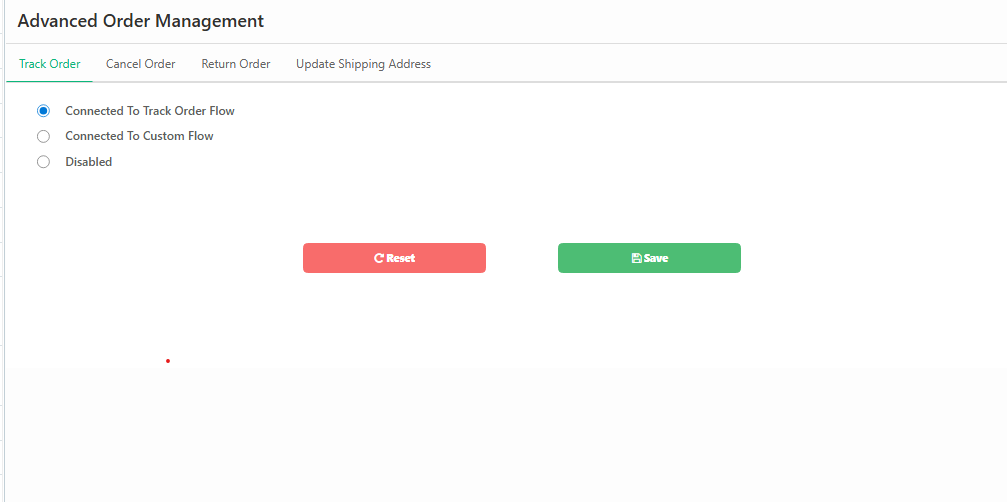
Steps
Go to Advanced Order Management
Select Track Order
Choose one of the following options:
Connected to Track Order Flow
→ Relish AI automatically fetches order details from Shopify admin.
Connected to Custom Flow
→ Use a custom automation workflow.
Disabled
→ Track order functionality will not be available in the chatbot.
Click Save
2. Cancel Order
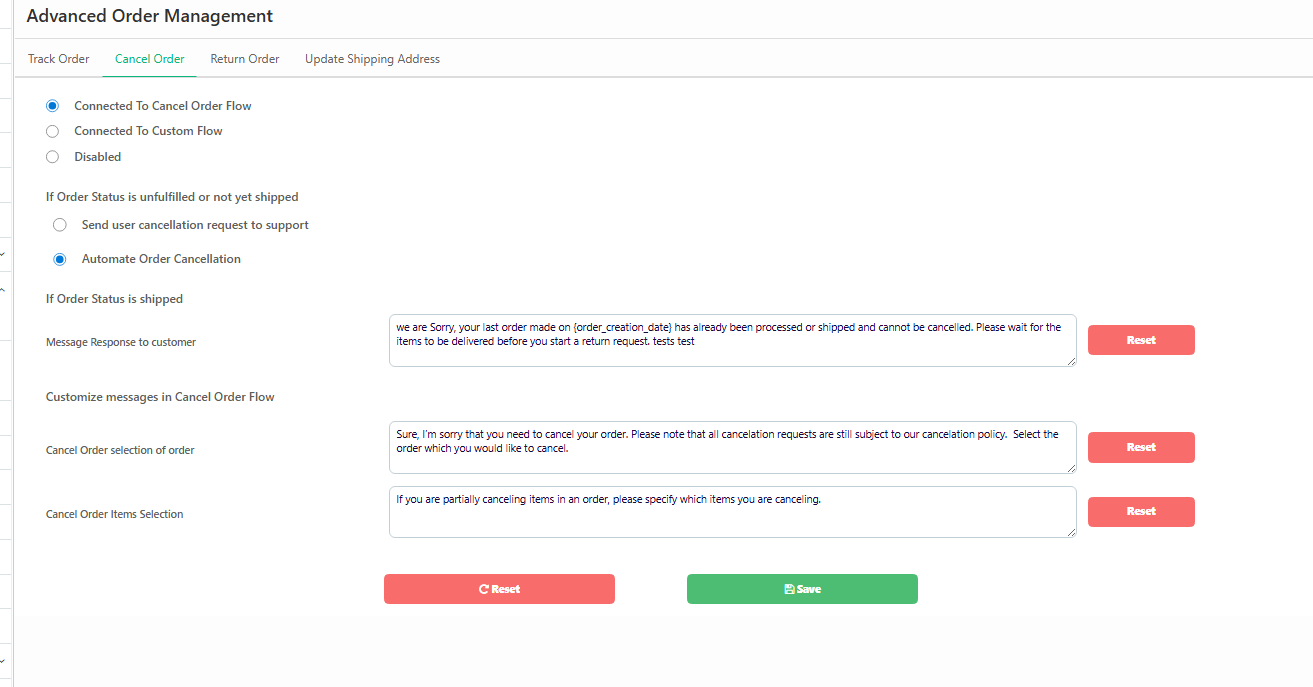
Steps
Open Cancel Order tab
Select Connected to Cancel Order Flow
You can then configure how cancellations are handled.
If Order is NOT Shipped
Choose one of the following:
Automate Order Cancellation
→ Relish AI cancels the order automatically.
Send cancellation request to support
→ Request is forwarded to your support team.
If Order is Already Shipped
Customize the chatbot message customers receive.
Example:
“Your order has already been processed or shipped and cannot be canceled. Please wait for delivery and initiate a return if needed.”
Customize Messages
You can personalize messages for:
Order selection
Item selection for partial cancellation
Click Save once configured.
3. Return Order
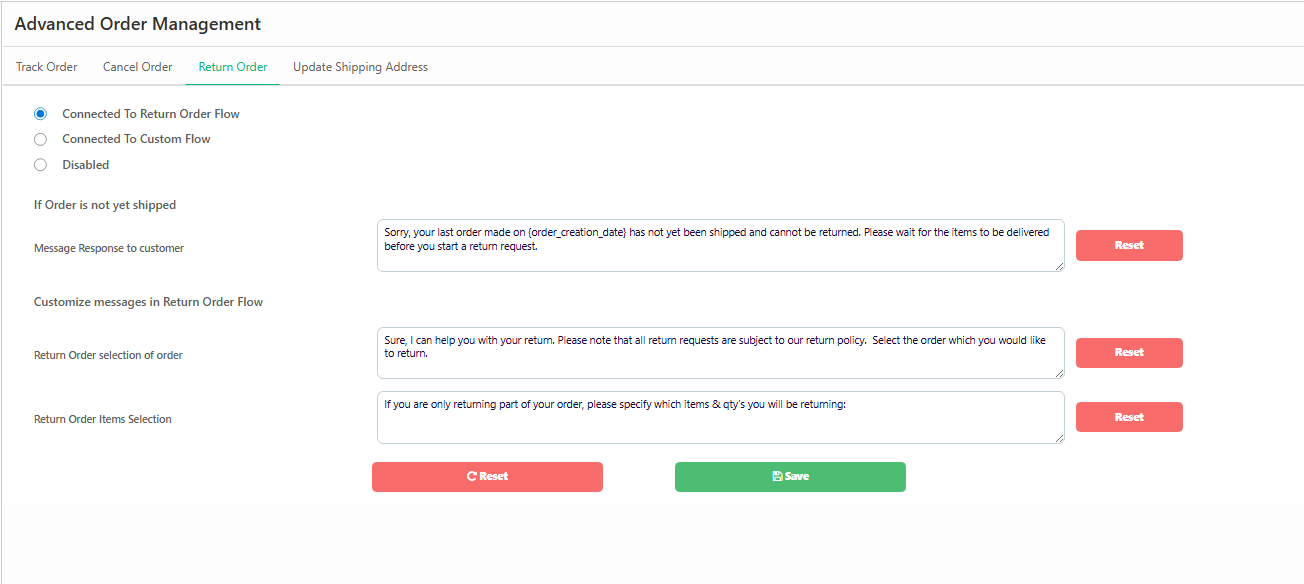
Steps
Go to Return Order
Select Connected to Return Order Flow
If Order is Not Yet Delivered
You can edit a message like:
“Your order has not been delivered yet and cannot be returned. Please wait for delivery before initiating a return.”
Customize Return Messages
You can configure chatbot prompts for:
Selecting the order to return
Selecting specific items to return
Click Save to apply changes.
4. Update Shipping Address
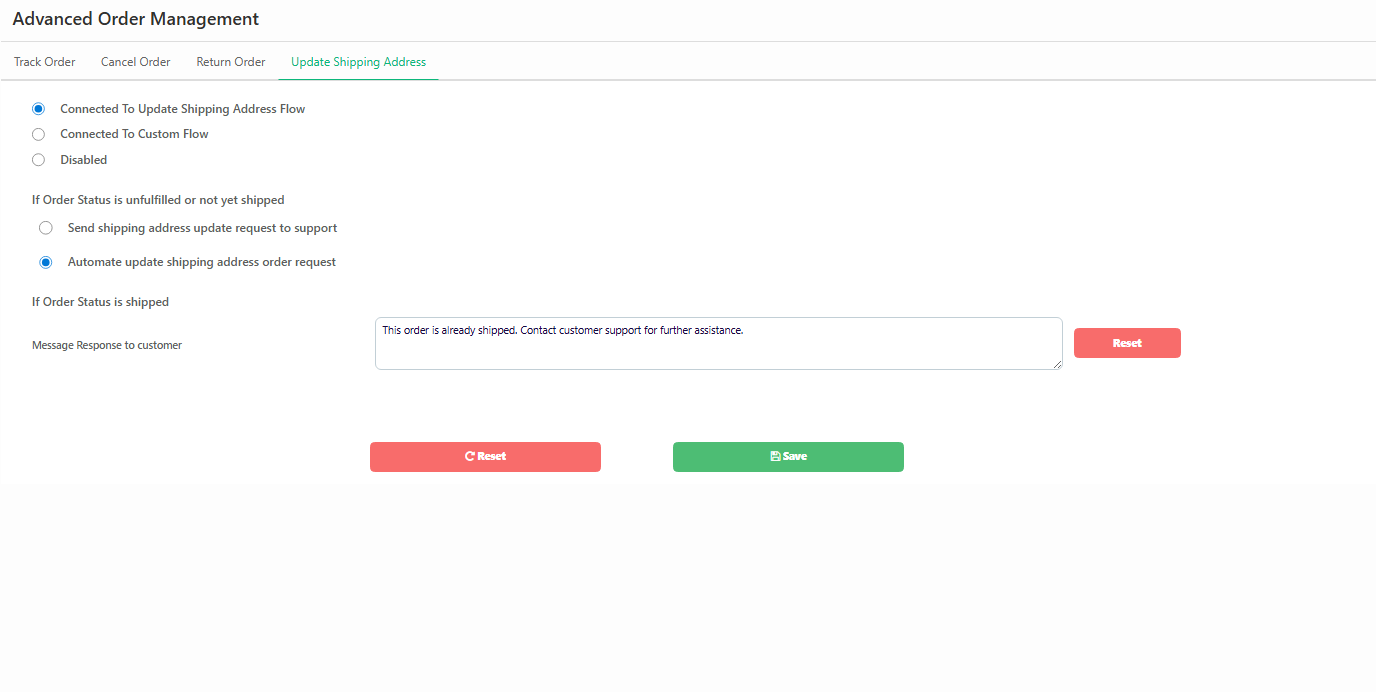
Steps
Open Update Shipping Address
Enable Connected to Update Shipping Address Flow
If Order is Not Shipped
Choose:
Automate shipping address update
→ Relish AI bot updates the address automatically.
Send request to support
→ Customer request is routed to your support team.
If Order is Already Shipped
Customers will see a message like:
“This order has already been shipped. Please contact customer support for assistance.”
Click Save to apply changes.